Build weekvs.show day
Contractors in during build, crew and artists on the day, one matrix for both.
Scenario · sample event
Radar showing four things on site being cleared one by one: crew member, van, insurance cert, guest.
Clearing sites for festivals, arenas, touring, venues, exhibitions, brand activations, street parties, conferences.One list, every door.
Everyone and everything on your site, cleared through one place.
Crew, artists, suppliers, guests, paperwork, passes, gates, comms and spend. If it's happening on your event, Bloop knows about it.
Free up to 100 team. No card. Reply within one working day.
Why most events still run on a spreadsheet, a group chat and a clipboard at the gate.
CREW · RIGGER
Sam Okafor
PASS VALID
13 JUL · IN DATE
CREW · RIGGER
Sam Okafor
PASS SUSPENDED
15 JUL · LAPSED
Clearing sites for festivals, arenas, touring, venues, exhibitions, brand activations, street parties, conferences.One list, every door.
Nobody gets a pass until their paperwork is in. Nobody keeps one when it runs out.
CREW · RIGGER
Sam Okafor
PASS VALID
13 JUL · IN DATE
CREW · RIGGER
Sam Okafor
PASS SUSPENDED
15 JUL · LAPSED
The list at the gate is the list in the office. Change it once and it changes everywhere.
OFFICE LIST
GATE SHEET · NORTH
Gates keep scanning with no network. When it comes back, so does the record.
SCANS · NORTH GATE
1,302
NO SIGNAL · STILL SCANNING
Field-tested on 10,000-cap shows.
05 · The idea
A pass in Bloop isn't a status, it's a set of conditions. Insurance in date. Induction done. RAMS approved. Licence current. When a condition fails, the pass fails, and every scanner on site knows within seconds. When it's fixed, the pass comes back on its own.
01
Nobody approves anybody. The rules do. Humans handle the exceptions.
02
Roles down the side, zones across the top. Every sheet, scanner and laminate reads from it.
03
Gates keep scanning with no signal and keep the record.
CONTRACTOR · BUILD
Dee Walsh
DENIED
WHY: RAMS NOT APPROVED
Bloop keeps the record as you go:
You don't need perfect paperwork. You need one place it all lands.
Bring the event you're most worried about. Thirty minutes, your event, not a deck.
Most tools cover one phase and hand you back to the spreadsheet for the rest. Bloop covers the arc.
Running gates at festivals, arenas, touring, venues, exhibitions, brand activations, street parties, conferences.Advance, build, show, close.
The pass office, minus the queue of angry riggers.
Built for the worst signal in the building.
Guest lists that fill themselves in.
Your crew are people, not rows.
The rest of show day, on the same spine.
Spend that surfaces before the invoice does.
The boring module that saves your licence.
Applications · Supplier portals · Compliance docs · Budgets and POs
Access matrix · Passes and laminates · Rotas and call times · Site issues
Gate scanning · Guest lists · Live counts · Catering covers
Reconciliation · Xero sync · Audit trail · Next year’s template
[ Built in a field. Tested on real shows. ]
10,000
cap, field-tested
100
team free. No card.
1
list, every door
£0
scanner hire. Any phone is a gate.
2 yrs
price locked
06 · The matrix
From here on, the detail. For the people who run it.
Roles down the side, zones across the top, permissions in the grid. The access matrix is the one thing every gate sheet, scanner, laminate, guest list and catering count reads from. Tick a box and the version at the entrance is the version.
THE ACCESS MATRIX · TICK A BOX
| PASS TYPE | ARENA | BACKSTAGE | STAGE | COMPOUND |
|---|---|---|---|---|
| AAA | ||||
| Crew | ||||
| Contractor (build) | ||||
| Media, day |
SAMPLE EVENT · REAL BEHAVIOUR
EVERYTHING THAT READS FROM IT
GATE SHEET · NORTH
v14
CREW: ARENA · BACKSTAGE · COMPOUND
SCANNERS
12/12 on v14
EVERY SCANNER HOLDS THE CURRENT RULES
LAMINATE · CREW
Matches
PRINTED: ARENA · BACKSTAGE · COMPOUND
Sample event · real behaviour
7 steps
Thirty minutes on your event, not a deck. One email afterwards, not a sequence.
Bring your spreadsheet. Roles, zones and people come in without re-keying.
Roles down the side, zones across the top. This is the rulebook every gate reads.
Applications and supplier portals collect insurance, RAMS and inductions before anyone arrives.
QR, NFC or both, straight into Apple Wallet. A pass only works while its conditions are met.
Gates scan with or without signal. Live counts, guest lists and catering covers from the same record.
Reconcile, sync purchase orders to Xero, keep the audit trail and roll the event into next year’s template.
07 · Real screens
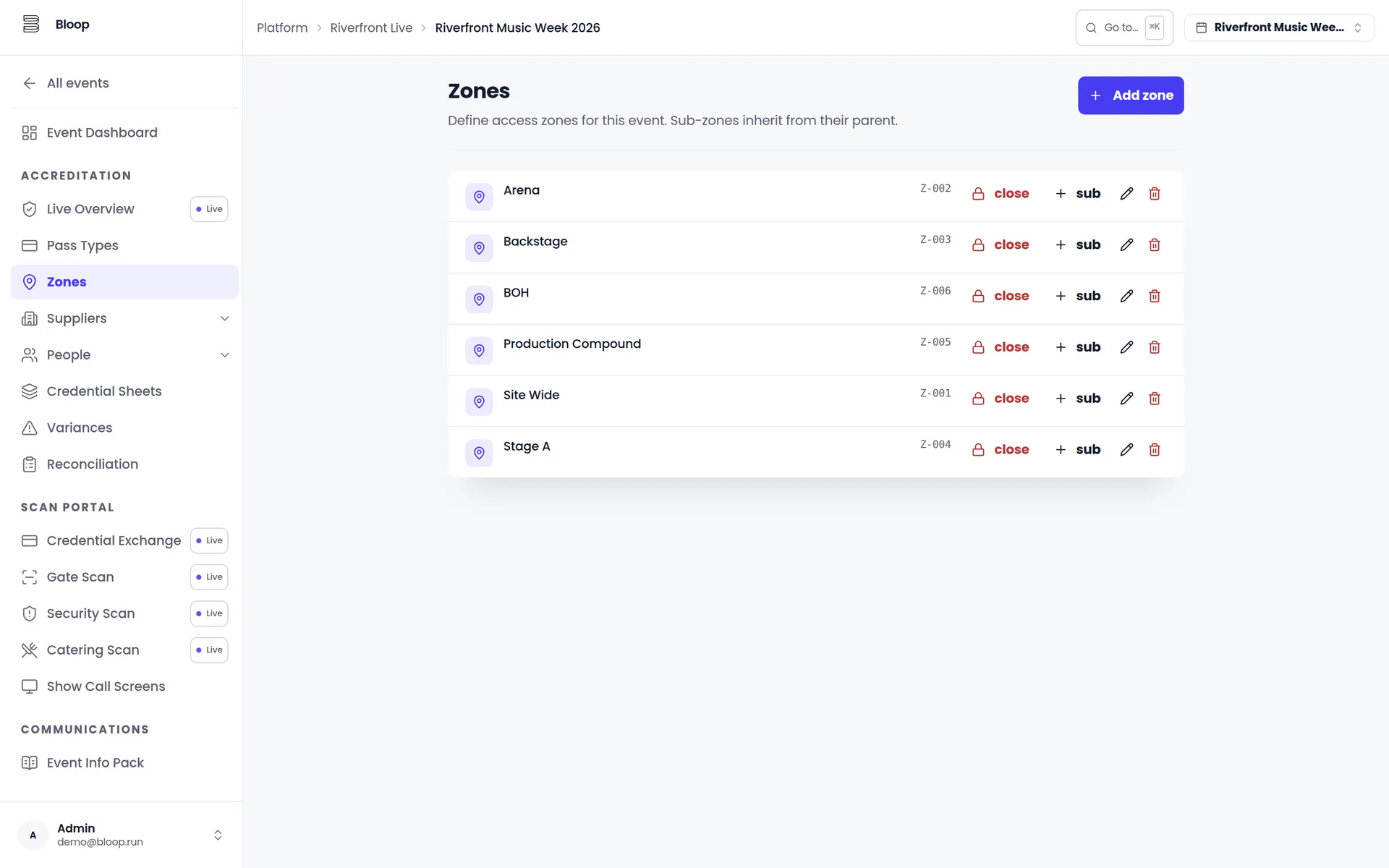
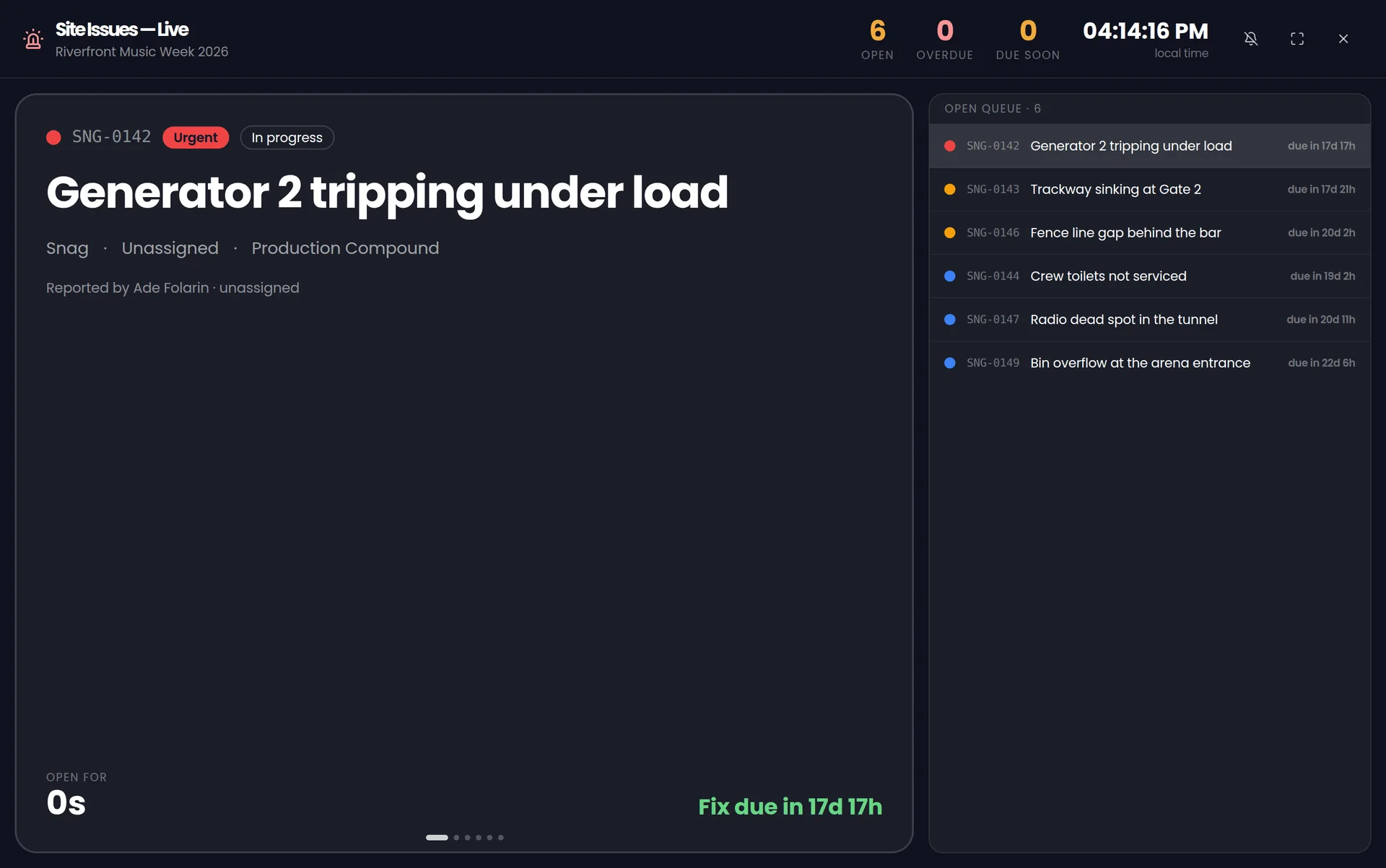
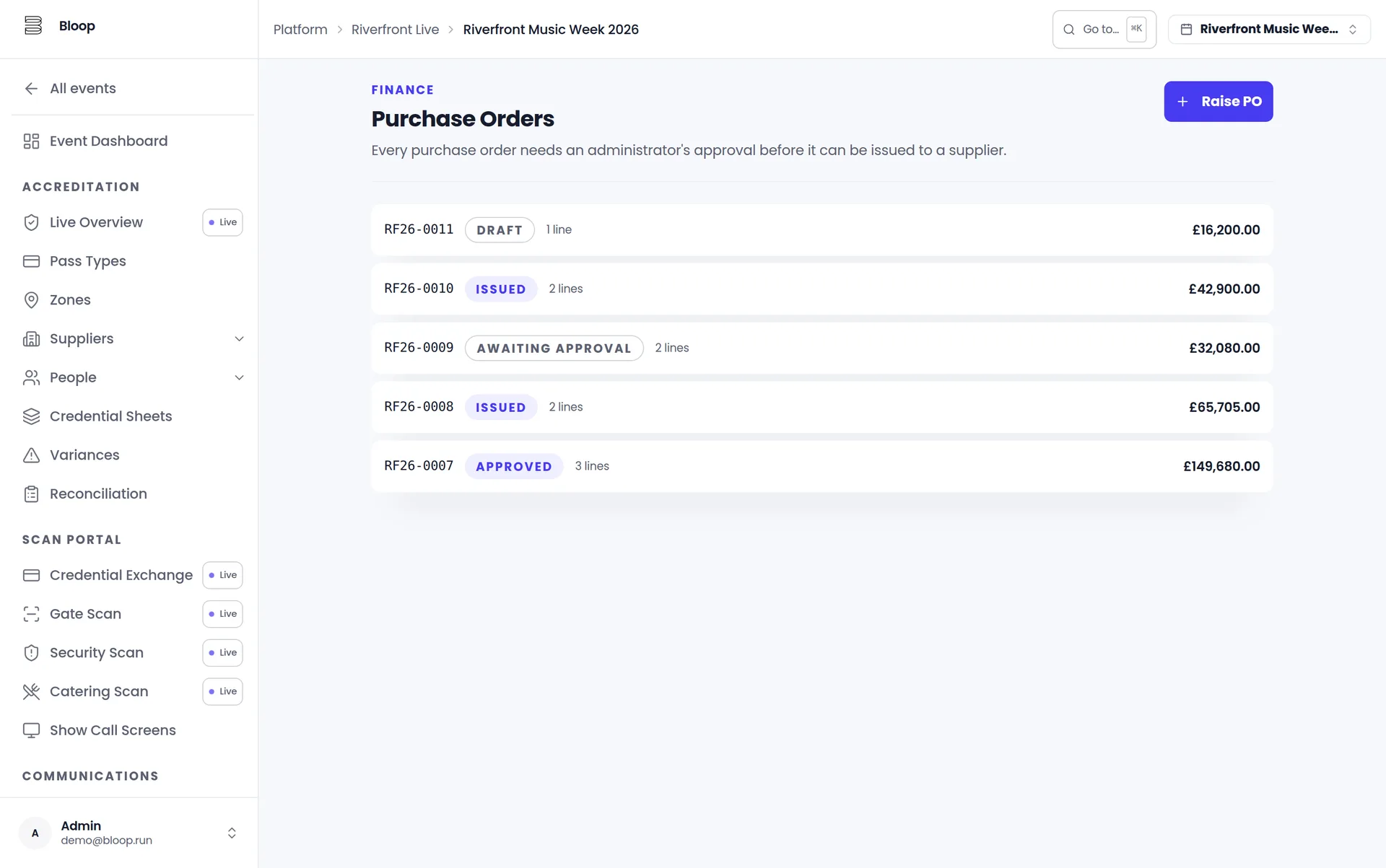
Not mockups. Real screens from Bloop, running a sample event with invented data.
01 / 03
Your team shouldn't stop the build to chase a certificate.
Bloop chases it, and the pass follows the paperwork.
09 · Plugs into what you already run
Bloop works alongside the tools you already run, so nothing gets typed in twice.
All integrations10 · Martyn's Law
Who was on site, what they were told, who got the message and when.
Bloop already holds the records the enhanced tier asks for. The compliance pack turns them into evidence, for £250 a month on a 12-month plan, on top of any paid tier.
£250 / month
on top of any paid tier
11 · Pricing, in one row
Free up to 100 team. From £75 a month after that. One licence covers every event you run, however many, and if you sign before 1 April 2027 your price is locked for two years.
Free
Free
Up to 100 team a year
Starter
£75 a month
Up to 500 team a year
£150 from April
Growth
£200 a month
Up to 2,000 team a year
£400 from April
Scale
£500 a month
Up to 10,000 team a year
£1,000 from April
More than that
Talk to us
over 10,000 team a year
Counted as unique team a year, once, however many events they work. Prices exclude VAT. Monthly plans run for 12 months. Prices rise on 1 April 2027; sign before and yours is locked for two years. Your first event is free.
See pricingHours re-keying lists, passes that never expire, a gate that stops when the signal does. Put numbers on it.
Sample: 5 events a year, about 400 people each, at 4 hours per hundred passes.
Your event has its own gates, crew and paperwork. Bring it to a walkthrough and we'll work it out properly.
The accreditation spreadsheet, and the pile of tools around it. Bloop holds one list of everyone working your event, and the applications, access matrix, passes, gate sheets, scanning, guest lists, show-day records and purchase orders all read from it. It does not replace your ticketing: we integrate with whoever sells your tickets.
Bloop vs spreadsheetsScans keep going. Every decision is recorded with its reason, and the record catches up the moment the network returns. Nobody is let in on a guess.
Gates and scanningYes. Passes are QR, NFC or both, and they land in Apple Wallet. Gates run on standard Android and iOS devices, so any phone is a gate: no scanner hire and no per-device charge.
We count each team member once across every event you run in a year. The same rigger working five of your shows is one person, not five. Suppliers and crew never pay. We do not count passes issued, events, admin users, ticketed attendees. Free up to 100 team a year, then from £75 a month, and one licence covers every event you run.
See pricingIt keeps the records. Who was on site, what they were told, who got the message and when accumulate as a by-product of running the show, and the compliance pack turns them into evidence for £250 a month on a 12-month plan, on top of any paid tier. Bloop produces the evidence; meeting the duty is yours, and you can do it without buying software from anybody.
Martyn's Law explainedThe application and database run in a UK/EU deployment region, and documents and photographs are stored in eu-west-2 (London). Every record is scoped to your organisation and every endpoint checks membership and role before returning anything. Supplier and individual portals are separate sessions bound to a single allocation or person.
Security and dataSend this to whoever runs your gates. They'll know what to do with it.
Book a walkthrough
Thirty minutes. Your event, not a deck.
One email afterwards, not a sequence. We reply within one working day.
See who it's forPrefer email?
Send a short note, we'll reply with clear next steps.